
Usage Management
Overview
Manage Keys
To use AIMMO Core services smoothly, it is important to properly manage your issued API key. Below is a guide on how to manage your API key.
Obtaining an API Key
-
Log in to the AIMMO Core. Customers with Azure subscription will not be needing this process as Azure account will be seamlessly integrated.

-
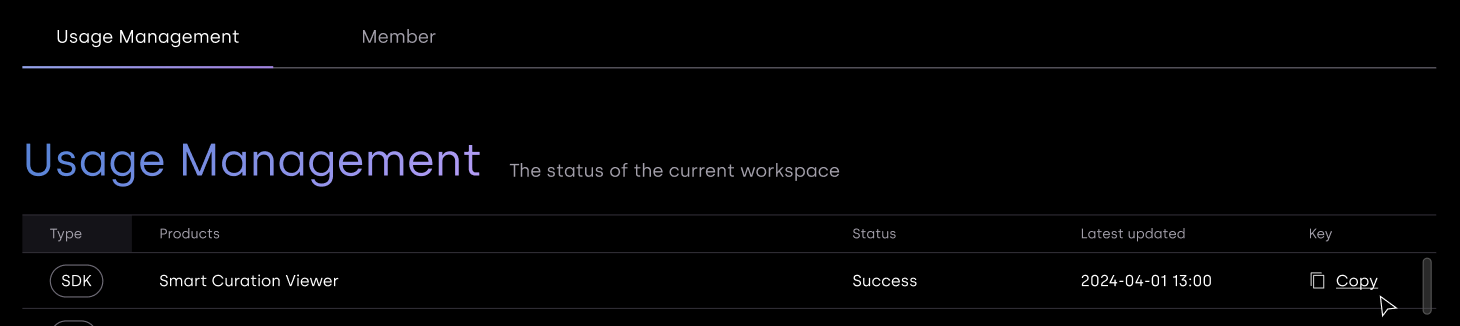
Navigate to the 'Usage Management' tab in the Dashboard menu.
-
Copy and locate the generated API key and ensure it is managed securely.
Usage Graph
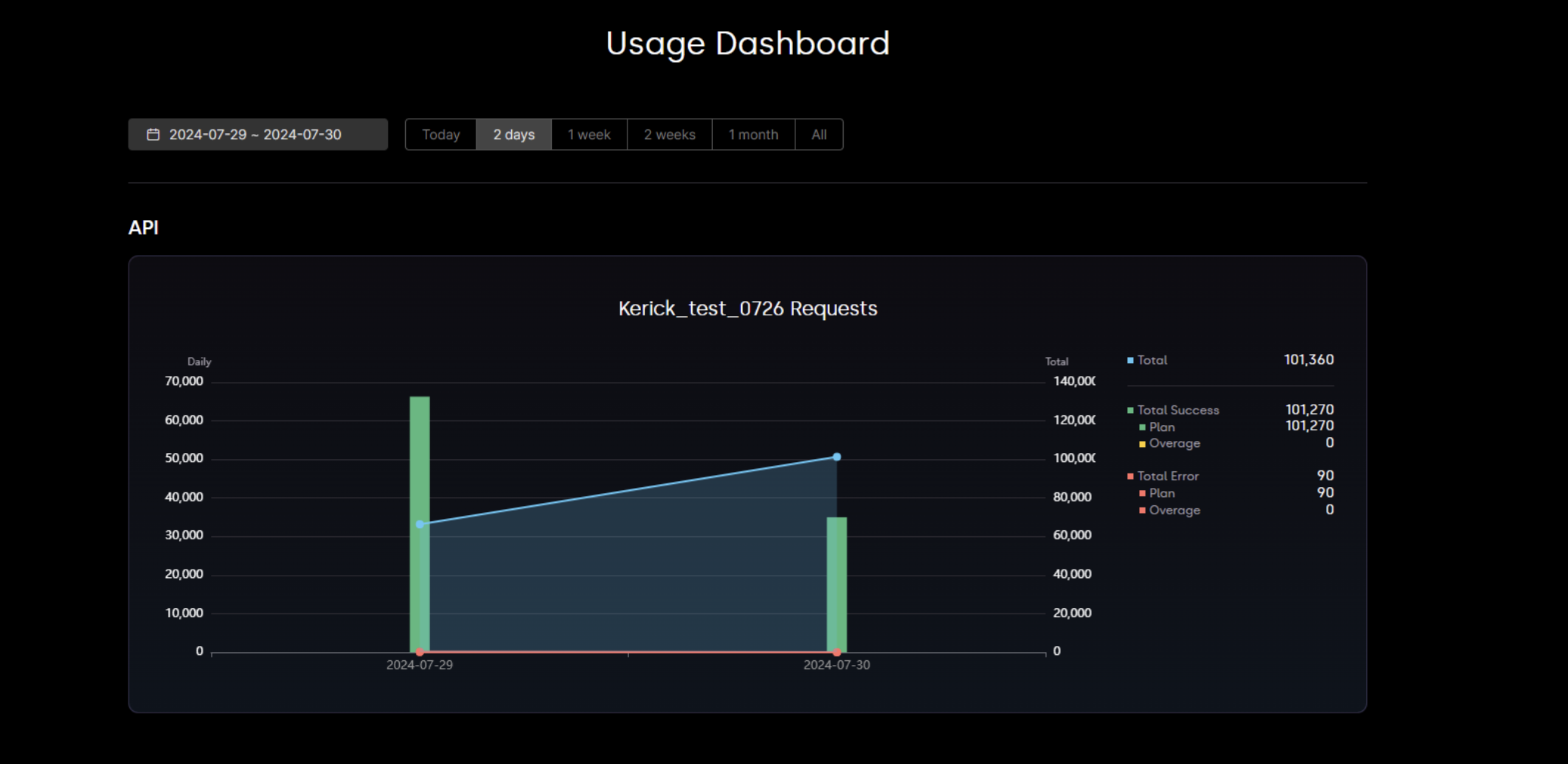
- The usage graph is based on UTC time.
API usage can be monitored in real-time through the usage graph. Both daily usage and cumulative usage are displayed, and the graph adjusts according to the specified time filter. On the left side of the graph, you can see the values for daily data usage, while on the right side, you can view the cumulative usage values.
API usage is determined by the extent to which AIMMO's inference server is utilized. The results from the inference server are categorized as either 'Success' or 'Fail'. If the inference server fails to process the data, the result is marked as Failed. Failed inference results will not be included in the usage count.
If the usage exceeds beyond basic quantity, exceeding quantity will be counted in overage category. Overage will not be counted unless the user is using metering plan.
Updated about 1 year ago